Online Khajna Payment: Application and Status Check
Paying Khajna (Land Revenue) is a mandatory duty for every landowner in West Bengal. Previously, one had to visit the BL&LRO office and stand in queues to pay this tax. Now, the West Bengal government has introduced the Online Khajna Payment facility through the BanglarBhumi portal.
Regular payment of Khajna ensures that your land records remain updated and prevents any legal complications regarding ownership.
Step-by-Step Guide to Pay Khajna Online
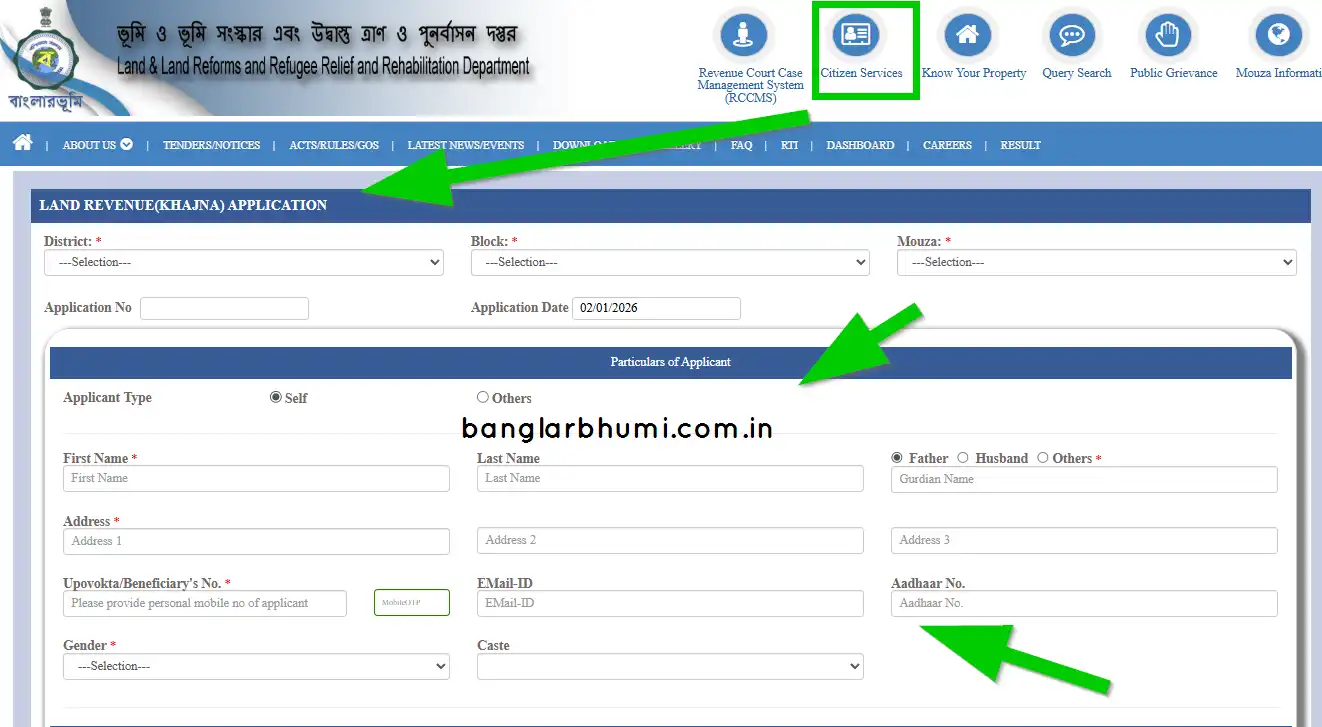
Step 1. Login
Visit banglarbhumi.gov.in and log in. Go to "Citizen Services" > "Land Revenue Application".
Step 2. Details
Select District, Block, Mouza. Enter your Khatian No. The system will auto-calculate your dues.
Step 3. Payment
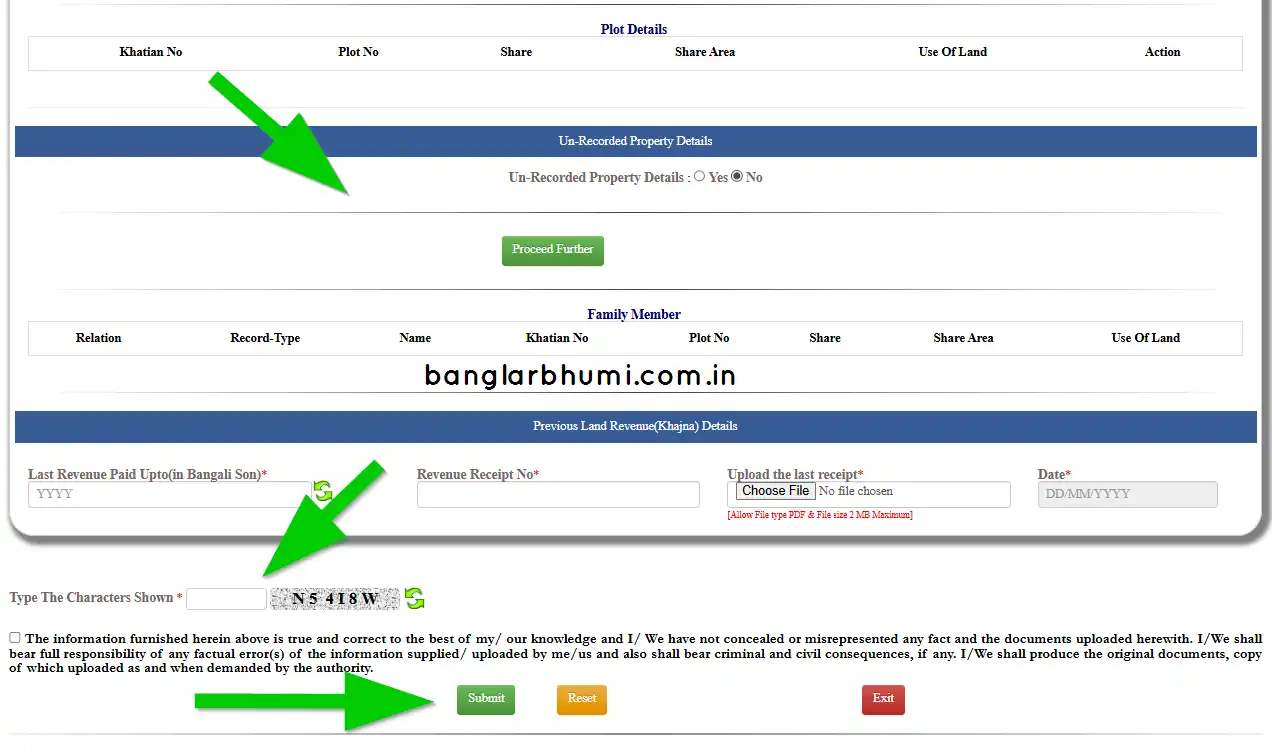
Confirm the amount and pay via GRIPS (Net Banking/UPI/Debit Card).
Step 4. Receipt
After success, download the Khajna Receipt instantly. Keep it safe!
How to Check Khajna Payment Status?
If your payment was deducted but the receipt wasn't generated due to a network error, do not panic. You can check the status:
- Login to the portal.
- Go to "Citizen Services" > "Online Service Status".
- Select "Khajna Payment Status".
- Enter the GRN (Government Reference Number) or Application Number.
- If successful, you will be able to download the receipt from here.
Why is it Important to Pay Khajna?
- Avoid Interest: Late payments attract interest and penalties.
- Legal Safety: The Khajna receipt is a crucial document required during the sale of land or mutation.
- Government Benefits: Eligibility for various agricultural schemes (like Krishak Bandhu) often requires up-to-date revenue records.