Know Your Property: Check Land Details and Market Value Online
One of the most useful features of the BanglarBhumi portal is the "Know Your Property" service. This tool empowers every citizen of West Bengal to verify land records and check current market values instantly. Whether you are planning to buy a new plot or just want to check your own ancestral land details, this service provides transparency and accurate data.
It eliminates the need for middlemen and visits to the Land Reforms office. You can access Khatian status, ownership details, and property values with just a few clicks.
How to Use "Know Your Property" Service?
Follow these simple steps to access your land information:
Step 1. Visit the Official Portal: Open your browser and go to banglarbhumi.gov.in.
Step 2. Locate the Tool: On the homepage itself, look for the button labeled "Know Your Property". It is usually located prominently on the menu or quick links bar.
Step 3. Enter Location Details: You will be asked to select the specific location of
the land:
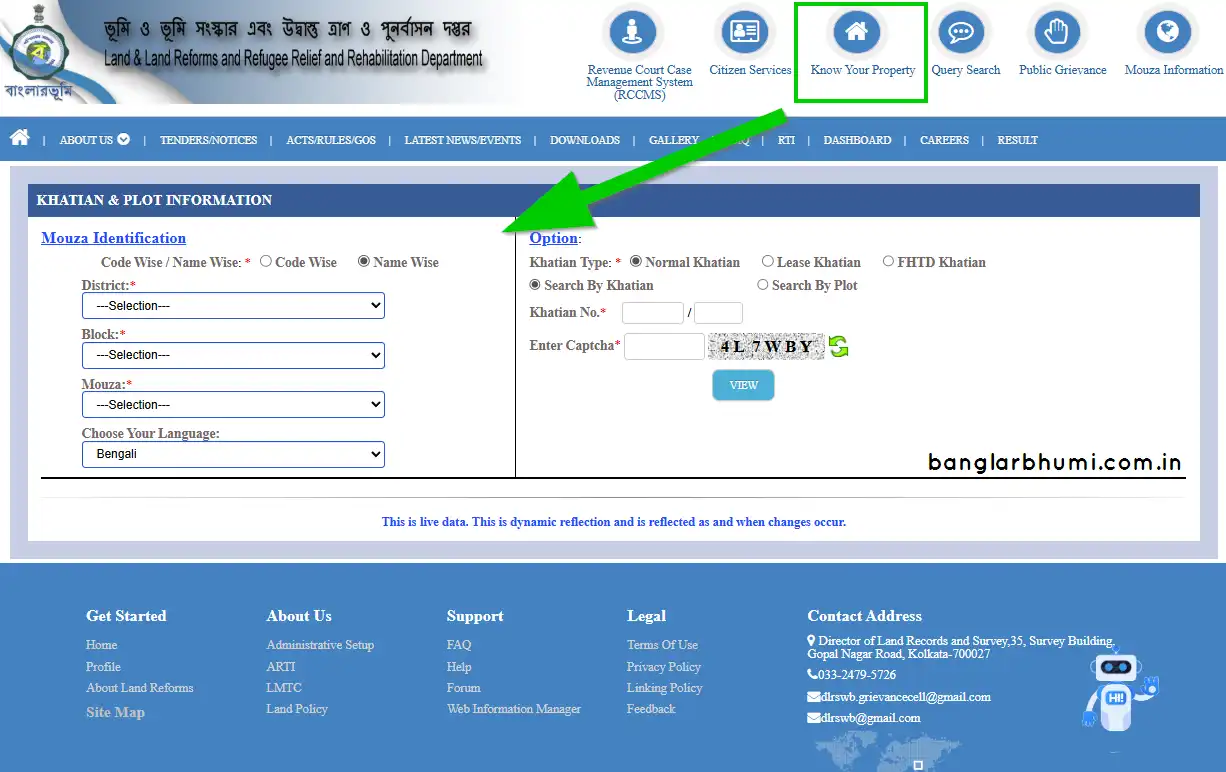
- District: Select your district (e.g., Bankura, Hooghly).
- Block: Choose the correct administrative block.
- Mouza: Select the Mouza (Village name/code).
Step 4. Search Method: You can search using two methods:
- Search by Khatian: If you know the Khatian number.
- Search by Plot: If you know the specific Dag/Plot number.
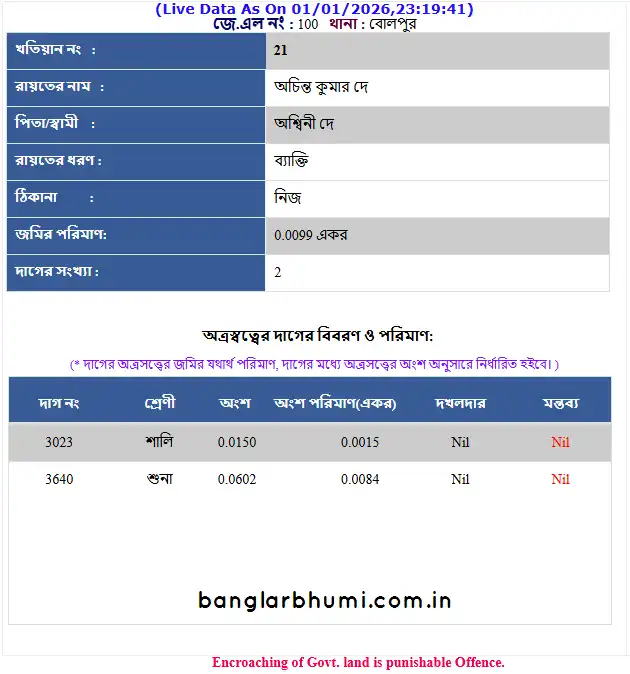
Step 5. View Results: Enter the number and the security captcha code. Click "View". The system will display the complete details including Owner Name, Father/Husband's Name, Share of land, and Land Classification (e.g., Shali, Danga, Bastu).
Why Check Property Information?
Using this service helps you in multiple ways:
- Verify Ownership: Ensure the person selling you land is the actual legal owner.
- Check Market Value: Essential for calculating registration costs and stamp duty.
- Avoid Fraud: Prevents you from falling victim to fraudulent land deals or disputed properties.
- Update Tax Records: Helps in timely payment of land revenue (Khajna) by ensuring records are correct.
Troubleshooting Tips
If you cannot find your record:
- Double-check the Mouza spelling or code.
- Ensure you are entering the correct LS or RS plot number.
- Sometimes servers are busy during office hours; try accessing the portal early in the morning or late evening.